

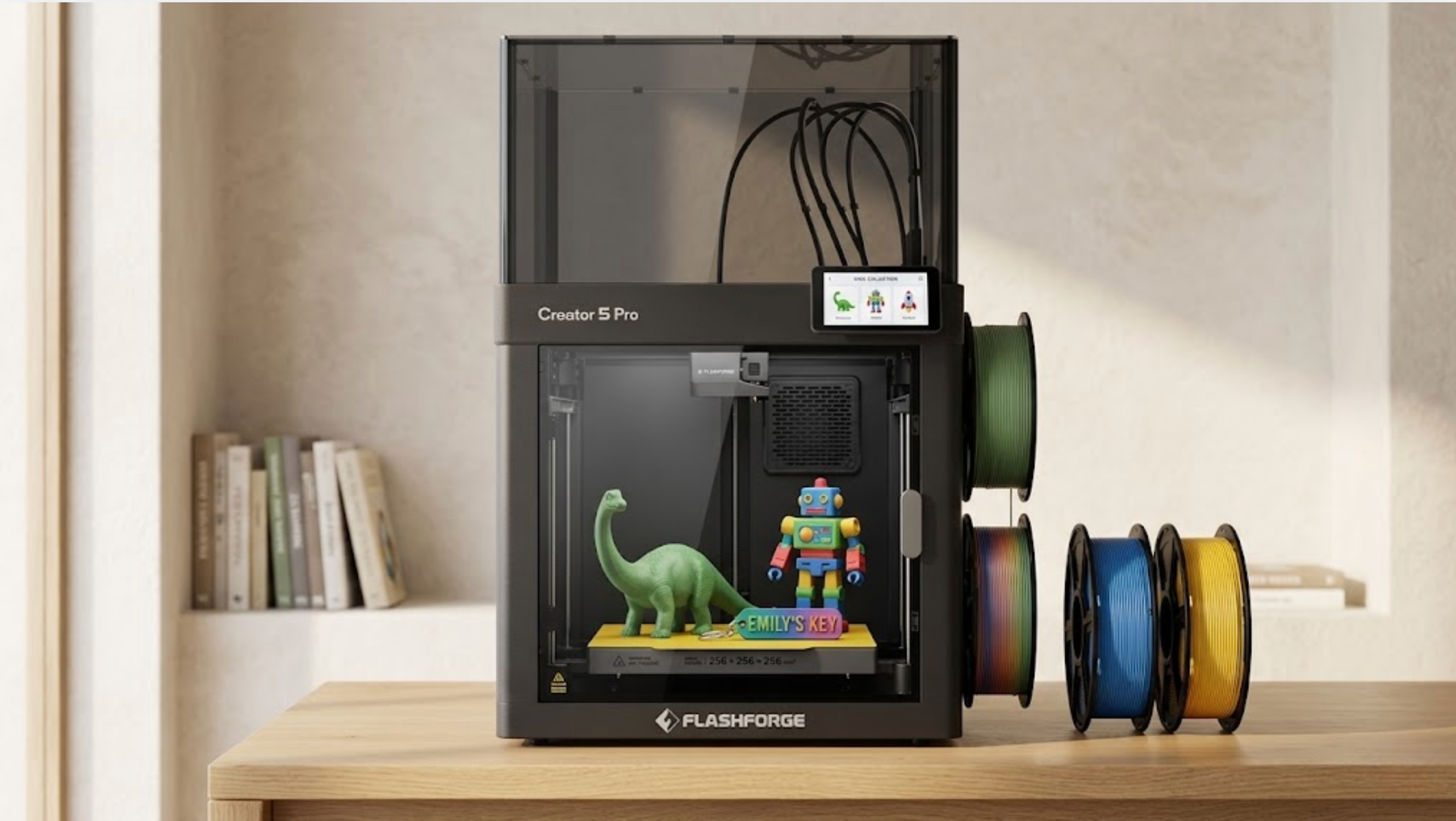
There are only two iron rules when choosing a 3D printer for an 8 year old: select a fully enclosed 3D printer model and prioritize an out of the box design that supports auto leveling and touchscreen operation. By meeting these two requirements, you can minimize common risks like burns, pinched fingers, and odors. This allows a child to complete their first print within 30 minutes. This article provides a complete decision checklist covering safety structures, operation thresholds, filament choices, placement, and home usage rules. A final buying checklist is included at the end.
Why an Enclosed 3D Printer Is the Safer Choice for Kids
The nozzle temperature of an open FDM 3D printer usually ranges from 200 to 260°C, and the heat bed stays between 60 and 110°C. For a child who wants to touch everything, this is like a small oven with an exposed soldering iron. Choosing a high-performance enclosed 3d printer (such as the Flashforge Creator 5 Pro) uses a transparent door to isolate all high temperature parts, providing a much safer learning experience. Children can watch the entire printing process without touching any parts that could burn their skin.
More importantly, an enclosed chamber keeps UFPs (ultrafine particles) and VOCs (volatile organic compounds) produced during the melting of PLA, PETG, or ABS inside the machine. Combined with a HEPA and activated carbon composite filter, air inside the chamber is filtered before being exhausted. This is vital for kids’ rooms and small apartments.
Engineer Tip: If the child is under 10 years old, prioritize a 3D printer with dual protection: a door sensor for automatic pausing and built in air filtration. A single safety feature is not enough.
Is an 8-Year-Old Ready to Use a 3D Printer?
Many parents worry that 8 is too young. However, classroom observations from the American STEM Education Association suggest that ages 7 to 9 are a critical window for developing spatial imagination. At this stage, children feel a strong sense of achievement when they design something on a screen and hold the physical object in their hands.
Children in this age group do not need a more powerful 3D printer; they need lower operational friction. The table below shows suitable participation levels for different age groups:
| Age Group | Suggested Role | Parental Involvement |
| 6 to 7 years old | Selecting models and watching prints | Full supervision |
| 8 to 10 years old | Slicing, loading, and starting prints | Supervision during startup |
| 11+ years old | Independent design and printing | Safety reminders only |
Next, let us look at the non-negotiable safety features the best 3d printer for kids should have.
Key Safety Features Parents Should Look For
Fully Enclosed Printing Area
A fully enclosed area means walls on all four sides plus a top cover. Many entry level 3D printer models only have three sides covered, leaving the 250°C nozzle accessible from the top. A truly qualified enclosed design should have 5 sides and a door made of tempered glass or thick PC board.
Auto Pause When the Door Opens
The X, Y, and Z axes should stop immediately and the nozzle should return to the Home position when the door opens. This is the last line of defense to prevent a child from being pinched when reaching inside. The Flashforge Adventurer 5M Pro handles this effectively by pausing instantly when the magnetic door sensor is triggered.
Covered Moving Parts
Belts, lead screws, and fans must be covered by a housing. A child’s curiosity often leads them to want to see how the belt moves. Uncovered moving parts can easily pinch a finger. When shopping, open the door of the 3D printer and check the interior. All moving parts should be in positions that cannot be touched directly.
Hardware safety is only the first step. Software and workflow friendliness determine if a child can use the 3D printer independently.
Make Sure the 3D Printer Is Easy to Use
Auto Bed Leveling
Manual leveling is the cause of 90% of beginner failures. Full auto leveling (not assisted leveling) should be a standard requirement for a 3D printer for kids. The machine should autonomously measure 16 to 49 points before every print so that neither the child nor the parent needs to turn any screws.
Simple Touchscreen Controls
A color touchscreen of 4.3 inches or larger with a graphical menu is much better for an 8 year old than any knob and OLED combination. An ideal interface should allow a child to complete the process of inserting a USB drive, selecting a model, and starting the print within three clicks.
Beginner-Friendly Software
Slicing software should include child friendly presets. The Orca-Flashforge slicer provides a one-click printing mode. A child only needs to drag in an STL file, and the software automatically handles the model orientation, support structures, and infill density.
Buying Advice: During a demo, let the child use the interface for 5 minutes. If the child cannot independently import a model and start a print, that 3D printer is not suitable as a gift.
Pick the Right Printing Material
PLA is the only recommended material for children. It is made from fermented corn starch, prints at 190 to 220°C, and has almost no irritating odor. It meets EN 71-3 toy safety standards. Materials like ABS, ASA, and Nylon involve higher temperatures and strong odors, making them unsuitable for areas where children spend time. Parents should stick to a single reliable brand of PLA to avoid nozzle clogs caused by impurities in generic filaments.
Choose the Right Printer Size for Home Use
The sweet spot for a home 3D printer for kids is a build volume between 220 x 220 x 220 mm and 250 x 250 x 250 mm. This range allows children to print hand sized dinosaurs or cars without the machine taking up more than a 50 x 50 cm space on a desk.
If you want a machine that can grow with your child for 5 to 10 years, from toys to middle school engineering projects, consider an industrial grade enclosed home 3D printer like the Flashforge Creator 5 Pro. Its 256 x 256 x 256 mm build volume, four independent tool heads, fully enclosed actively heated chamber (up to 65°C), and dual HEPA13 and activated carbon air filtration make it a rare choice that combines safety with long term growth.
| Home Scenario | Suggested Build Size | Recommended Footprint |
| Single child use | 220 cubed mm | 50 x 50 cm or less |
| Multiple kids / Long term STEM | 300 x 250 x 300 mm+ | 65 x 65 cm or less |
| Home studio | 350 cubed mm+ | Independent desk |
Where to Put a 3D Printer at Home
The best location is a well ventilated study or a corner in a kid’s room, away from beds and food preparation areas. Avoid direct sunlight which affects filament stability. Keep it at least 30 cm away from curtains or other flammable materials. Avoid carpets to prevent static risks. Placing a wood or cork board under the 3D printer can reduce noise and vibration while making it easier to clean up PLA scraps.
What Kids Can Make With a 3D Printer
The top five items 8 year olds print are: dinosaurs and animal models, custom keychains, LEGO compatible parts to use with existing toys, action figure bases, and gifts for classmates. Advanced users can design their own name tags using Tinkercad. This is a key step in moving from STEM enlightenment to a creator mindset.
Simple Rules for Safe Printing at Home
First, all prints must be started with parental knowledge. Second, wait 5 minutes after a print finishes before opening the door to let the nozzle and bed cool down. Third, clean the nozzle and build plate once a month. Fourth, store filament in a sealed bag with desiccant to prevent moisture. Fifth, parents should check in periodically during long prints exceeding 4 hours. We recommend printing these five rules and sticking them next to the 3D printer.
Common Buying Mistakes to Avoid
There are three common mistakes. The first is prioritizing print speed over an enclosed structure. No matter how fast it is, a child will be afraid to touch it again if they get hurt once. The second is buying a machine with a massive build volume that does not fit in the child’s room. The third is buying a cheap open source kit that requires manual assembly and leveling, which often discourages children.
Avoidance Tip: Any 3D printer model that requires assembling over 100 screws before it can start should not be the first 3D printer for an 8 year old.
Final Checklist Before Buying an Enclosed 3D Printer
Before placing your order, check these items:
- Is it fully enclosed on 5 sides plus a door, and does it pause automatically when opened?
- Does it support full auto leveling (not assisted leveling)?
- Is it equipped with HEPA and activated carbon air filtration?
- Does it come with a touchscreen and graphical slicing software?
- Is the build size between 220 and 350 mm?
- Is it compatible with standard 1.75 mm PLA filament?
- Does it offer at least a 1 year warranty and technical support?
Also Read : Instructions Manual HSSGamestick: Ultimate Setup Guide
Conclusion
Choosing a 3D printer for a child is about selecting a long term creative companion. Once you prioritize a safe enclosure, automated operation, and growth potential, the choice becomes easy. If you want a complete solution, the Flashforge Creator 5 Pro is a high end home option. For an entry level start, the Adventurer 5M Pro is enough to cover the needs of children aged 8 to 12.


