

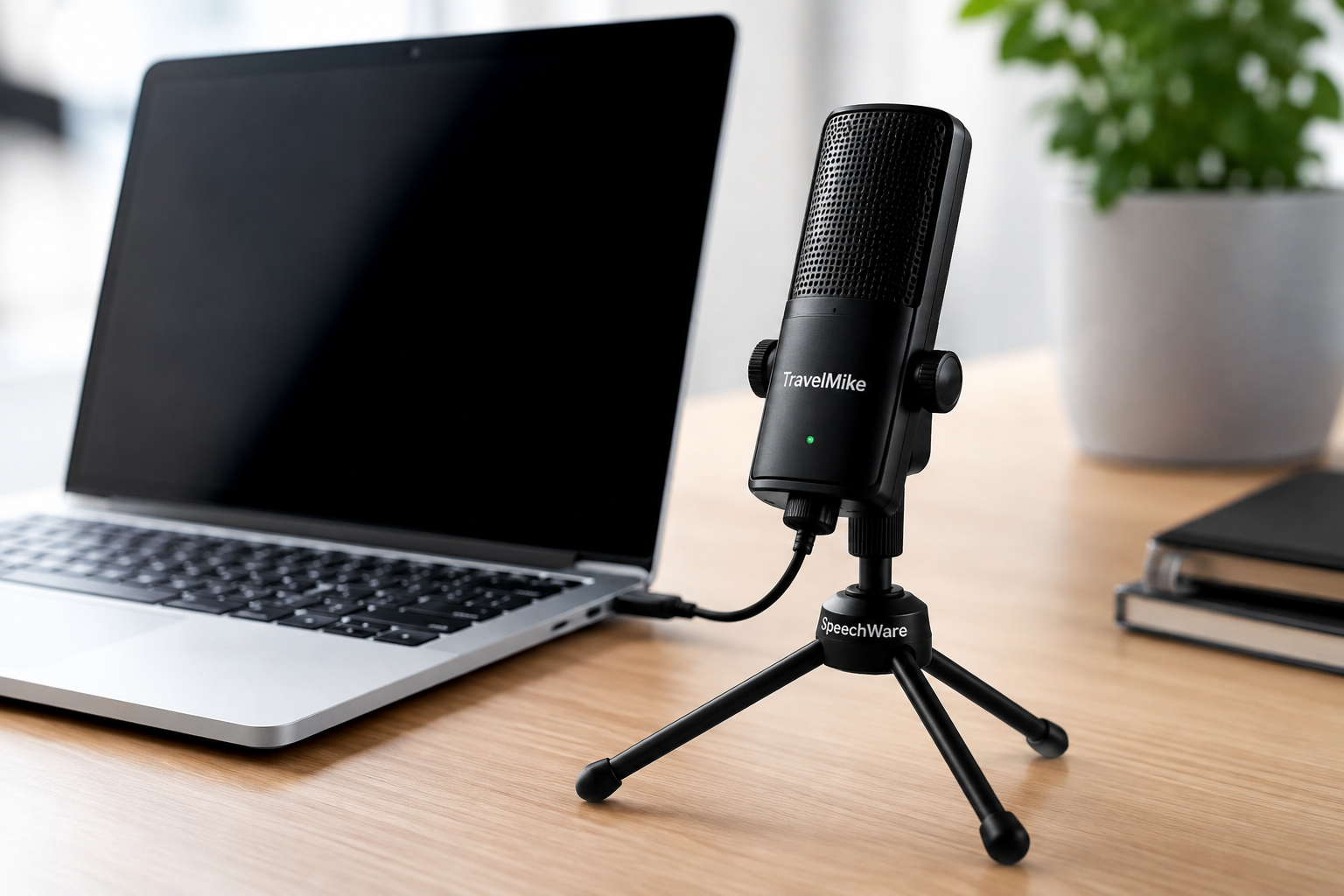
SpeechWare TravelMike Laptop Microphone is a compact, high-performance microphone designed to clip onto a laptop screen and deliver professional-quality audio for remote meetings, dictation, and recording—without requiring a desk setup or external stand.
Remote work changed what professionals expect from their audio setup. A blurry video can be forgiven. Poor audio rarely is. When your voice breaks up mid-sentence or echo swamps your words, people stop listening—literally. That’s the problem the SpeechWare TravelMike Laptop Microphone was built to solve.
The SpeechWare TravelMike Laptop Microphone occupies a smart niche: it sits between the built-in laptop mic (convenient but underwhelming) and the full studio condenser setup (excellent but impractical). Clip it to your screen, plug it into your USB port, and you have a professional-grade audio solution that travels with you.
This review breaks down everything you need to know about the SpeechWare TravelMike Laptop Microphone—its design, audio quality, portability, compatibility, and the real-world scenarios where it excels. If you’re a remote worker, journalist, podcaster, or speech recognition user weighing up whether this microphone is worth it, you’ll have a clear answer by the end.
What Makes the SpeechWare TravelMike’s Design Stand Out?
The SpeechWare TravelMike Laptop Microphone is built around one central design idea: attach directly to your laptop screen with zero additional hardware. A spring-loaded clip grips the top of your display, positioning the microphone capsule at an optimal distance from your mouth—typically around 40–60 cm—without any adjustment required.
The build quality reflects SpeechWare’s background as a professional audio brand. The chassis is compact and lightweight, yet doesn’t feel flimsy. The cable is thin and flexible, which matters when you’re packing a bag in a hurry. Unlike some clip-on mics that feel like an afterthought, the TravelMike’s form factor is clearly intentional.
How Does the TravelMike Attach to a Laptop?
The clip mechanism is firm enough to stay in place on screens ranging from thin ultrabooks to thicker laptop lids. Once attached, the microphone hangs just below the top edge of your screen, pointing toward you naturally. There’s no awkward repositioning, no boom arm to extend, and no desk space consumed.
For shared workspaces, hotel rooms, or kitchen table setups, this is a meaningful advantage. The entire microphone profile, when clipped to a laptop, adds minimal bulk—easy to pack, easy to forget you’re even using it.
How Does the SpeechWare TravelMike Perform in Terms of Audio Quality?
Audio performance is where the SpeechWare TravelMike Laptop Microphone earns its keep. SpeechWare engineers the TravelMike with speech intelligibility as the primary goal—not music recording or studio production, but the kind of crisp, natural voice capture that makes you sound like a professional on a call.
What Pickup Pattern Does the SpeechWare TravelMike Use?
The TravelMike uses a cardioid pickup pattern, which captures sound primarily from the front while rejecting ambient noise from the sides and rear. For laptop users in noisy environments—open offices, coffee shops, or homes with background noise—this directional focus makes a noticeable difference compared to omnidirectional built-in microphones.
The result is a voice signal that is clear, warm, and well-defined, without the hollow or distant quality that plagues most integrated laptop audio. Background noise doesn’t disappear entirely (no directional mic achieves that in loud environments), but it’s significantly reduced relative to what a built-in mic would capture.
Is the TravelMike Suitable for Speech Recognition Software?
Yes—and this is one of its strongest selling points. SpeechWare has deep roots in the speech recognition market, and the TravelMike is specifically optimized for use with software like Dragon NaturallySpeaking (now Dragon Professional). The microphone’s frequency response and sensitivity are tuned to capture the vocal range accurately, which translates into higher recognition accuracy and fewer correction cycles.
For medical professionals, legal transcriptionists, and power dictation users, this optimization is a practical advantage that generic USB microphones don’t offer.
Why Is the SpeechWare TravelMike Considered a Highly Portable Microphone?
Portability is the TravelMike’s headline feature. The microphone weighs just a few grams and coils into a small loop that fits into a laptop bag pocket or even a shirt pocket. There are no cases, no stands, and no extra cables to manage.
Compare this to a traditional desktop USB microphone. Even compact options like the Blue Snowball require a stand or mount, take up desk space, and add meaningful weight to a travel bag. The TravelMike eliminates all of that. For professionals who move between locations regularly—whether commuting between offices, traveling for client meetings, or working from different rooms at home—this friction-free portability is genuinely useful.
The design also means setup time is essentially zero. Clip, plug in, speak. There’s no driver installation, no software configuration, and no learning curve.
What Devices and Operating Systems Is the SpeechWare TravelMike Compatible With?
The SpeechWare TravelMike Laptop Microphone connects via USB and is plug-and-play across major operating systems. Windows and macOS both recognize the device without additional drivers. This broad compatibility means the TravelMike works across virtually any modern laptop or desktop with a USB port.
Does the SpeechWare TravelMike Work with Video Conferencing Platforms?
Yes. The TravelMike is compatible with all major video conferencing and communication platforms, including:
- Microsoft Teams
- Zoom
- Google Meet
- Skype
- Webex
Because it registers as a standard USB audio device, selecting it as your input microphone in any of these platforms takes seconds. No special settings or workarounds are required.
For organizations using Microsoft 365 or Google Workspace as their collaboration backbone, the TravelMike integrates seamlessly with the broader software ecosystem already in use.
What Are the Key Features of the SpeechWare TravelMike Laptop Microphone?
Here’s a concise breakdown of the TravelMike’s core specifications and features:
- Clip-on screen mount — attaches to laptop displays without adhesives or stands
- Cardioid pickup pattern — focuses on your voice, reduces background noise
- USB plug-and-play — no drivers required on Windows or macOS
- Optimized for speech recognition — tuned frequency response for Dragon and similar software
- Lightweight and compact — minimal travel footprint
- Universal laptop compatibility — fits thin and standard laptop lids
- Broad software compatibility — works with all major conferencing and dictation platforms
These features combine to create a microphone that prioritizes practical usability over technical complexity—a deliberate choice that suits its target users well.
What Are the Practical Uses for the SpeechWare TravelMike Laptop Microphone?
The TravelMike is a versatile tool, but it excels in specific scenarios:
Remote and Hybrid Work Meetings
For professionals attending back-to-back video calls, the TravelMike delivers consistent, clear audio without requiring a permanent home office setup. It’s equally effective in a hotel room or a co-working space as it is at a dedicated desk.
Dictation and Speech Recognition
Medical transcription, legal dictation, and productivity-focused dictation workflows all benefit from the TravelMike’s optimized audio capture. Higher microphone quality directly improves recognition accuracy in software like Dragon Professional, reducing editing time and increasing throughput.
Podcasting and Audio Recording (On-the-Go)
The TravelMike isn’t a studio microphone, but for interview-style podcasts, voice memos, or quick recordings captured while traveling, it delivers audio quality that’s well above what most built-in laptop mics produce. Journalists, researchers, and content creators who need a reliable backup microphone will find it useful.
Online Education and Webinars
Educators delivering remote lessons or presenters hosting webinars benefit from the TravelMike’s ability to make their voice sound natural and clear to an audience—without requiring technical setup knowledge.
Why Is the SpeechWare TravelMike a Smart Choice for Professional Communication?
Most USB microphones make a trade-off: prioritize audio quality and sacrifice portability, or prioritize portability and compromise on sound. The SpeechWare TravelMike Laptop Microphone narrows that gap more effectively than most competitors in its category.
The clip-on design removes the most common friction point with external microphones—finding space for them. The plug-and-play USB connection removes the second most common friction point—driver installation and configuration. What remains is a microphone that genuinely works, sounds professional, and goes wherever your laptop goes.
SpeechWare’s specialization in speech recognition technology also gives the TravelMike a credibility advantage. This isn’t a generic consumer audio product repurposed for professional use—it was engineered from the start for voice-critical applications.
The TravelMike is particularly well-suited for:
- Frequent travelers who need consistent audio quality across different locations
- Speech recognition users who want to maximize dictation accuracy
- Remote workers who don’t have a fixed desk or dedicated office setup
- Professionals on tight budgets who need quality audio without investing in a full studio microphone system
Is the SpeechWare TravelMike Right for You?
The SpeechWare TravelMike Laptop Microphone is a focused product designed to solve a specific problem: delivering professional audio quality from a laptop, anywhere, without complexity or bulk. For that use case, it performs with consistency and reliability.
Where the TravelMike is not the right tool is in high-fidelity music recording or broadcast-quality podcasting, where a large-diaphragm condenser microphone and acoustic treatment are necessary. For those applications, a more robust studio setup is required. But for the remote professional, the dictation power user, or the traveler who can’t afford to sound like they’re calling from a tin can—the TravelMike is a practical, well-engineered solution worth serious consideration.
If you spend significant time on video calls, rely on speech recognition software, or simply want to sound noticeably better than your laptop’s built-in microphone without overhauling your workspace, the SpeechWare TravelMike Laptop Microphone delivers exactly what it promises.
Also Read This: DB Technologies Ingenia IG2T Speaker: Full Review & Buying Guide
Frequently Asked Questions About the SpeechWare TravelMike Laptop Microphone
Does the SpeechWare TravelMike require drivers to install on Windows or Mac?
No. The SpeechWare TravelMike Laptop Microphone is plug-and-play on both Windows and macOS. Once connected via USB, it is automatically recognized as an audio input device without any driver installation.
Is the SpeechWare TravelMike compatible with Dragon NaturallySpeaking?
Yes. The TravelMike is specifically optimized for speech recognition software, including Dragon Professional (formerly Dragon NaturallySpeaking). SpeechWare’s engineering background in this field means the microphone’s audio characteristics are tuned for high dictation accuracy.
How does the SpeechWare TravelMike compare to a built-in laptop microphone?
The SpeechWare TravelMike Laptop Microphone significantly outperforms built-in laptop microphones in voice clarity and background noise rejection. Built-in mics are omnidirectional and positioned at the keyboard level, picking up keyboard sounds, room echo, and ambient noise. The TravelMike’s cardioid pattern, screen-mounted position, and optimized frequency response produce noticeably cleaner audio.
What types of laptops does the SpeechWare TravelMike clip onto?
The TravelMike’s spring-loaded clip is designed to fit a wide range of laptop screen thicknesses, including thin ultrabooks and standard-thickness laptops. It does not require adhesives or special mounting hardware.
Is the SpeechWare TravelMike suitable for Zoom and Microsoft Teams calls?
Yes. The TravelMike is compatible with all major video conferencing platforms, including Zoom, Microsoft Teams, Google Meet, Skype, and Webex. It appears as a standard USB audio device in each platform’s audio settings.
What is the difference between the SpeechWare TravelMike and a desktop USB microphone?
The primary difference is form factor and portability. Desktop USB microphones require a stand or mount and consume desk space, while the SpeechWare TravelMike Laptop Microphone clips directly to a laptop screen and folds into a pocket-sized form for travel. Desktop mics may offer marginally more audio customization, but the TravelMike’s convenience advantage is substantial for mobile users.